New feature: Program listing
Hello to all.
I want to tell you, that we have added new feature in your panel. Now you can list your affiliate program on our site in order to get more visibility.
To start promoting your affiliate program on Affiliatly, log into your panel and go to "Settings" tab. There you will see new row "Promote your program on our site"
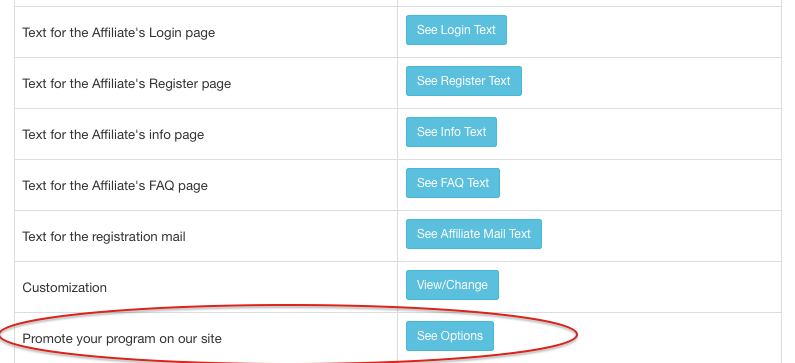
When you click on the button "See options" you will see this window
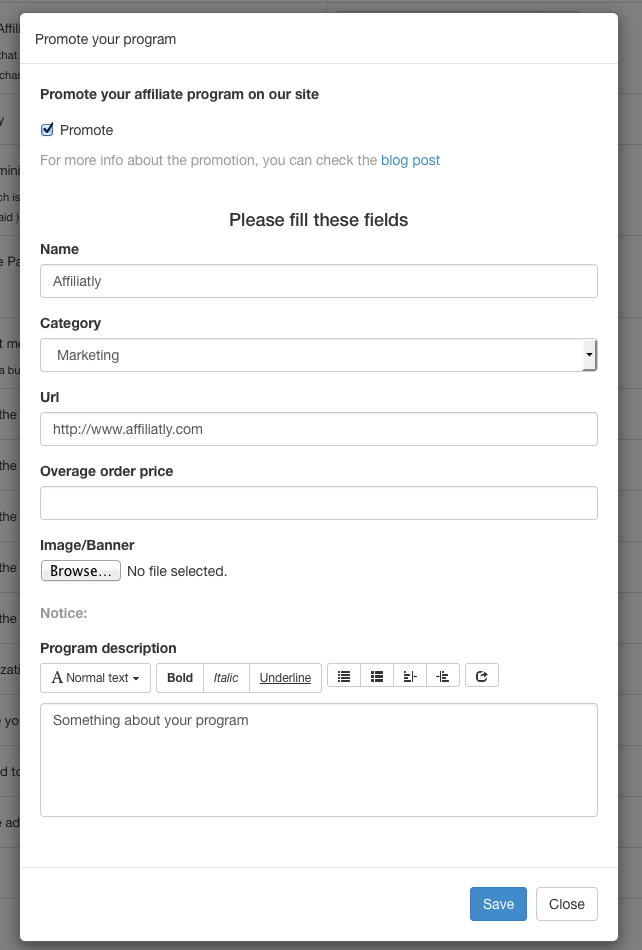
In order to show your program on the site, you must check "Promote".
After that, you must populate the fields and give as much as possible info for your affiliate program.
Name - your Brand name/slogan.
Url - write the address to your store.
Category - choose the best suited category for your store.
Overage order price - this field is optional, its just there to give your future affiliates insight about what to expect.
Program description - give info about your store and products. Write about commissions and payout of your affiliate program.
After you are done hit "Save".
You can view your listing here: https://blog.affiliatly.com/content/files/2026/11/affiliate-programs.html