New feature: Staff accounts
Hi all,
we are very happy to announce that now you can create different accounts for your staff in Affiliatly.
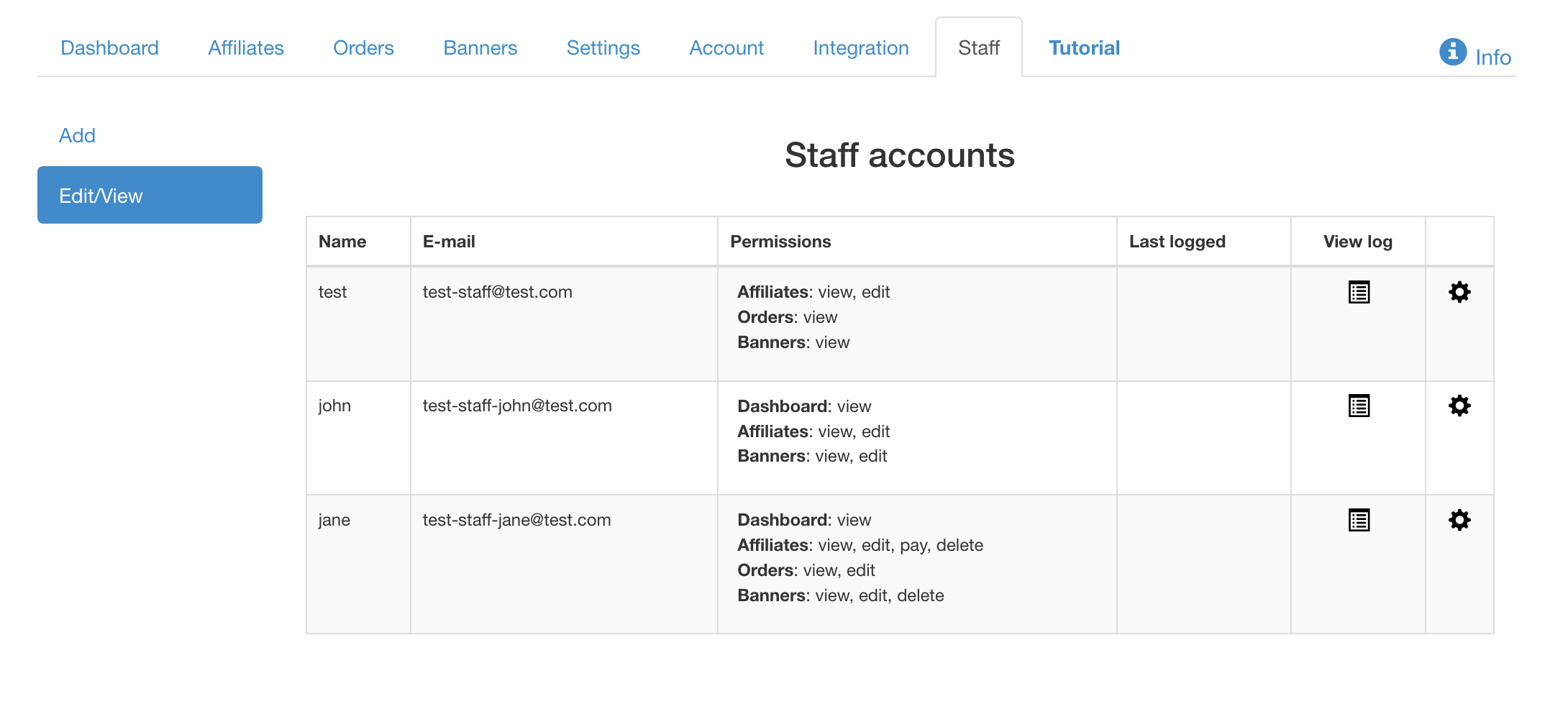
You can do that from page "Staff" (from your main navigation menu in Affiliatly), on that page you can add new account, edit created one and check the log with the changes which that staff account made (only if they have the right permissions to do so).
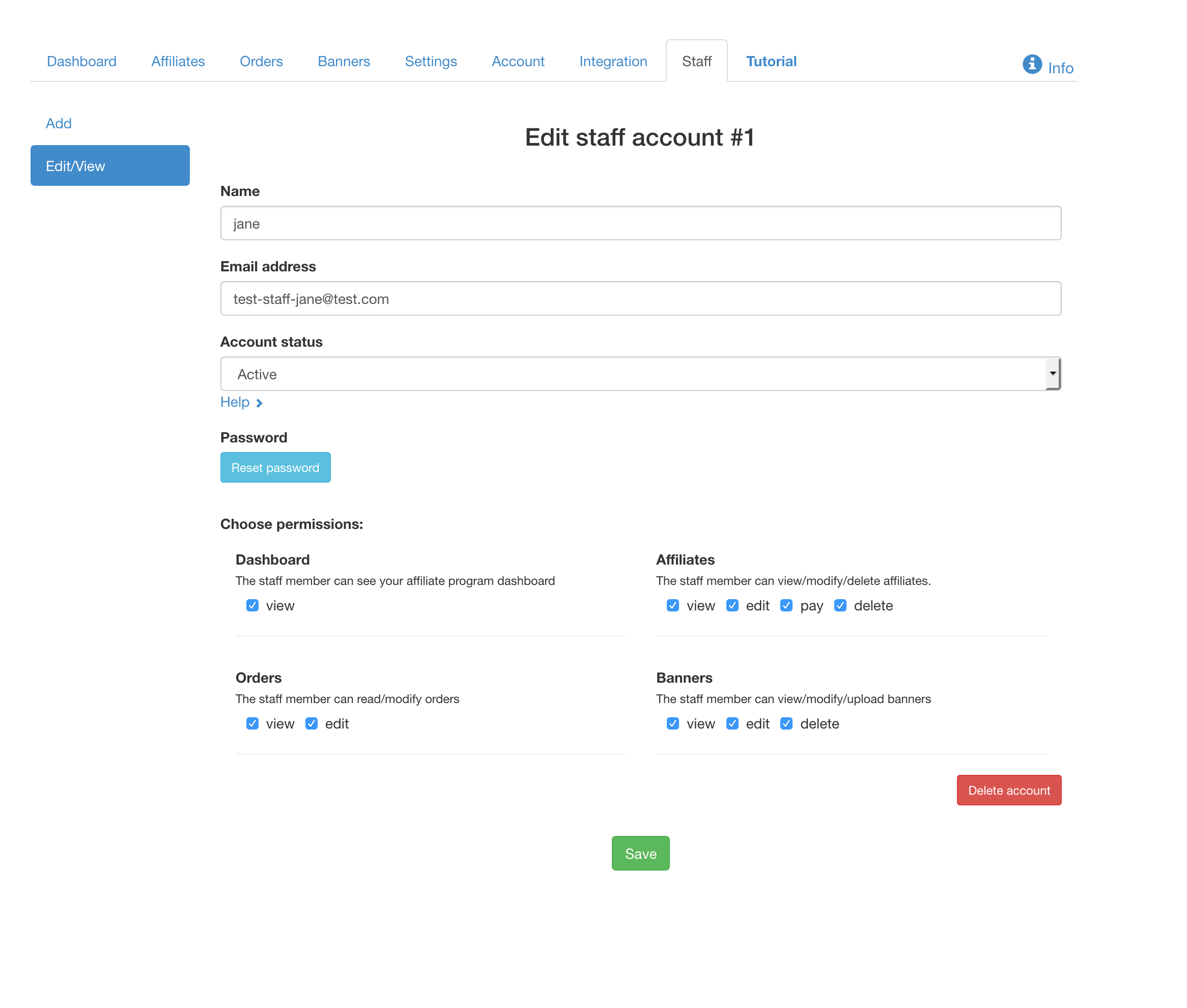
For each account you can set different permissions i.e.
- Dashboard - The staff member can see your affiliate program dashboard and the referred visits and orders totals.
- Affiliates - The staff member can view/modify/delete and/or pay your affiliates.
- Orders - The staff member can read/modify (and add) the orders tracked in Affiliatly.
- Banners - The staff member can view/modify/upload banners
Your staff members can login from your affiliate program login page only (they won't be able to do it from the global login form).
Note: that you can not use the email of one of your affiliates as a staff account's email, the emails must be unique.