Summer Improvements 2017
Hi all! We haven't posted in a while about improvements to the app, but that does not mean we have been lying on beaches all summer long. Here's a list of some of our newest features, options, and changes we've implemented in our software, which will make your affiliate programs even more customize-able and simpler to manage.
Popup at checkout
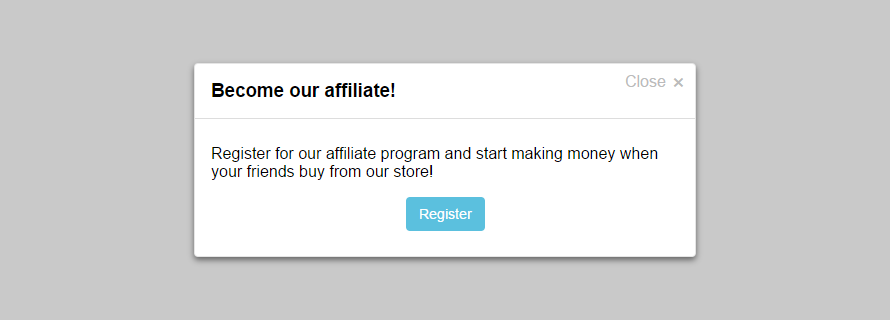
Now it's easier than ever to turn your customers into your affiliates. Add a popup to your thank you page (from Settings > General > "Popup at checkout") to invite them to sign up for your affiliate program. That way you can promote your program directly to your clients and let your marketing campaign grow without any additional efforts on your side. Read all about this feature here:
Multi select tool
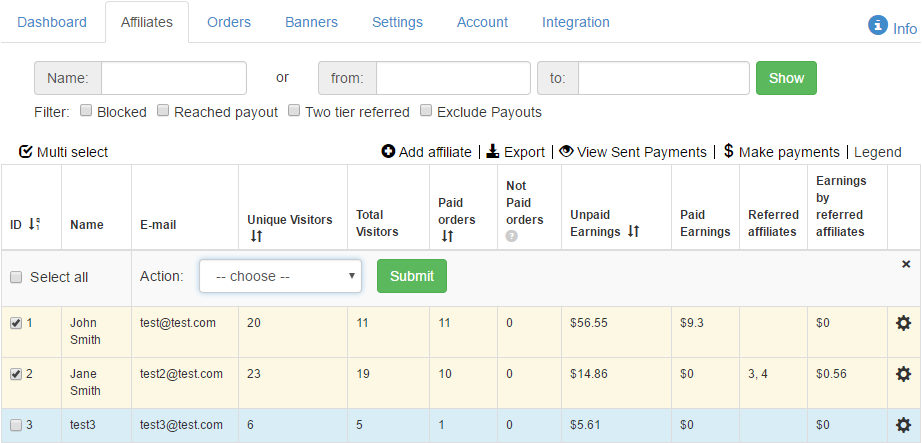
Ever wanted to approve, disapprove, block, unblock or delete multiple affiliates at once? Now you can change their statuses using the multi select tool we added to the Affiliates page of your panels. Click "Multi select", choose the affiliates, select an action, click "Submit" and the statuses of the chosen affiliates will be changed instantly!
Banners for specific affiliates
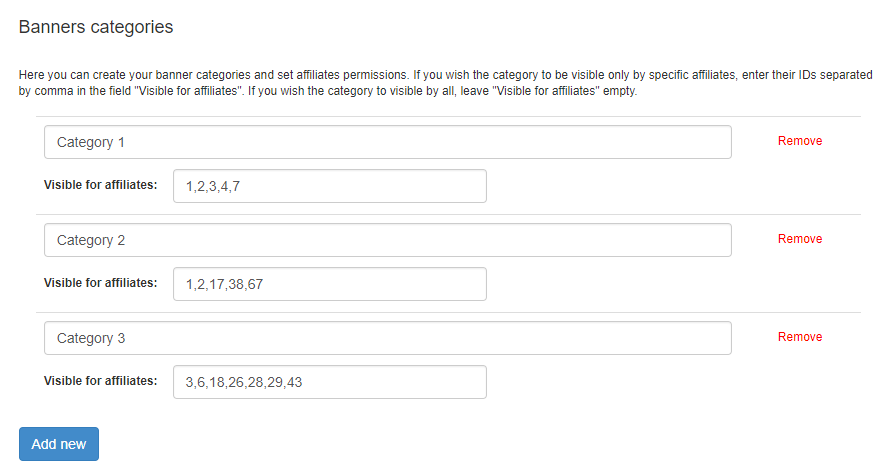
Several clients have requested this feature and we obliged - you can make a chosen banner category available just for some of your affiliates (form Settings > General > "Banners settings"), making your marketing efforts more targeted. That way only they will see the banners in this category in the Banners page of their affiliate panels.
SKU Settings redesign and new SKU tracking options
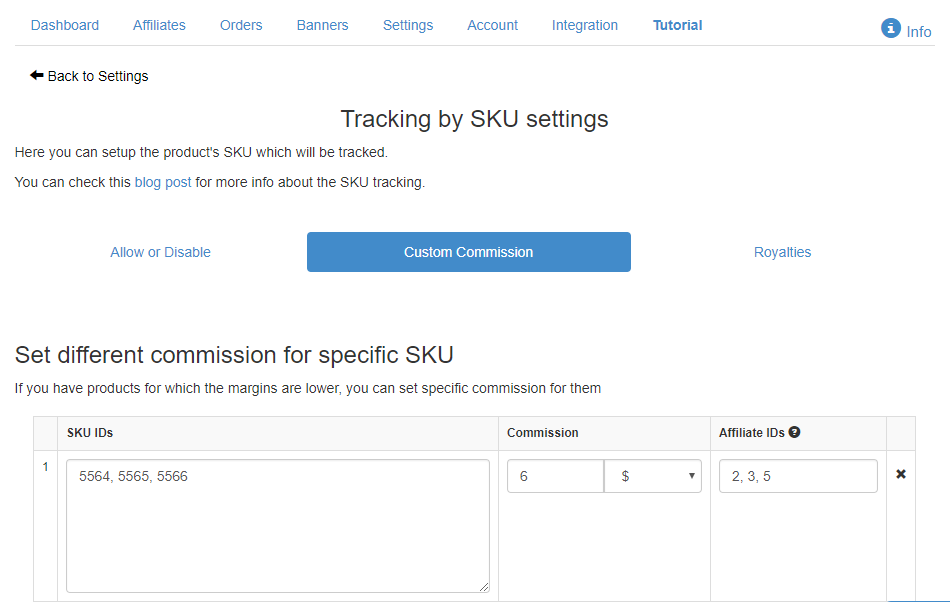
If you use SKU tracking with Affiliatly, you may have noticed a few changes as of late. Now you have three tabs in SKU Settings - Allow or Disable, Custom Commissions, and Royalties. Additionally, now you can also set the commissions for particular SKUs as a flat rate per item, not only as a percentage. What is more, you can choose different commissions for specific products AND specific affiliates in Custom Commissions to have the ultimate flexibility to decide who receives earnings and for which products in your store. In the Royalties tab you will find a new option - "Cancel the royalties for orders referred by the same affiliate". If you enable it, the affiliate will receive only a commission and not a royalty if they refer an order with an SKU associated with them. And, last but not least, in case of a partial refund, Affiliatly will check the SKU of the refunded item and cancel the royalty associated with it.
Settings page redesign
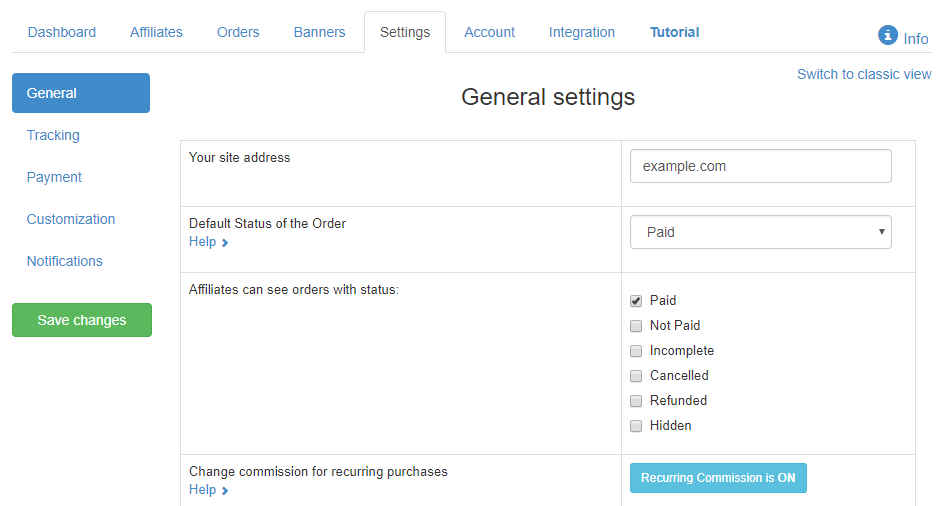
Since we're adding new features constantly, the number of settings available to you is always increasing. And while this, of course, is a good thing, the size of your Settings page was getting a bit out of hand. So we redesigned it. Now the options are grouped in convenient categories (General, Tracking, Payment, Customization, and Notifications) so you can find what you need much faster. If you liked your Settings page better the way it was before, just click "Switch to classic view" in the upper right corner.
Registration email
Now you have the option to disable the registration email, which sent to new affiliates, if you wish (from Settings > Notifications > "E-mail on affiliate registration"). We have also added the string @affiliate_shortened_link@ you can use in the email, which will be replaced with the shortened link of the affiliate (if you have set up an URL shortening tool).
Changes to the filters of the Orders and Affiliates pages
If you choose a filter above the table in one of these pages, Affiliatly will remember it for you, so you don't have to select it every time you want to view the statistics for your affiliate marketing program (this includes all but the date filters).